
Descript Review: Is It Free, and What Does It Cost?
Edit video and podcasts by editing the text.
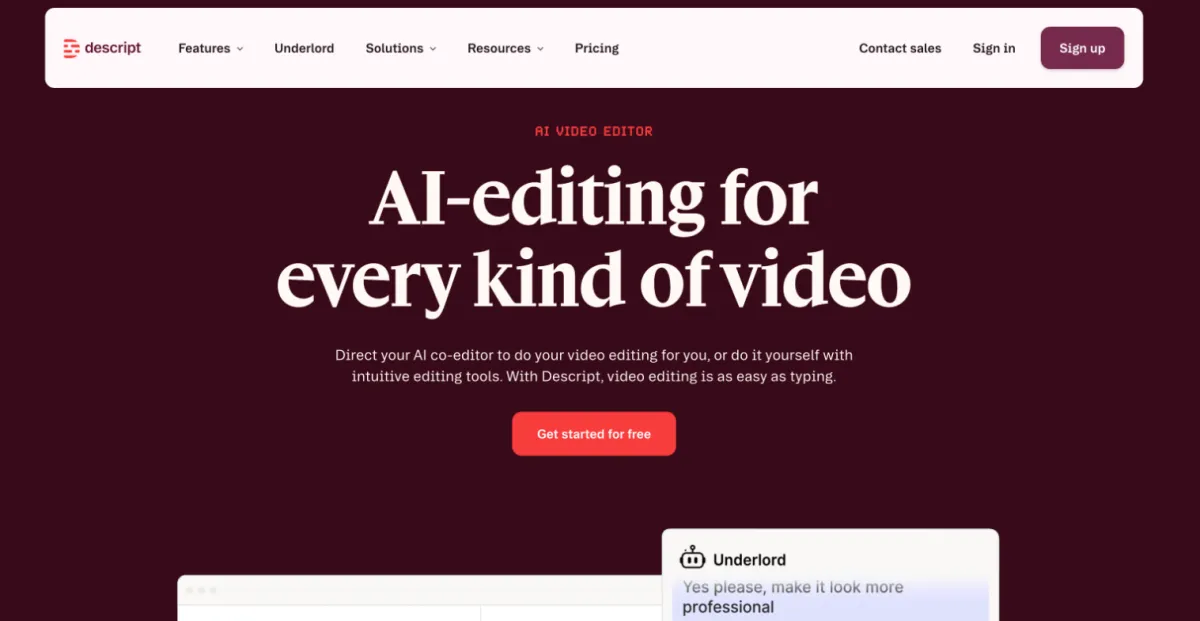
Descript is an AI video and podcast editor. It transcribes your recording, and you edit the video or audio by editing the text. The Free plan costs $0 and gives you 1 media hour a month. The first paid plan, Hobbyist, costs $16 a month paid yearly, or $24 paid monthly.
Checked 24 November 2026 on descript.com. Prices are in US dollars, for each person.
Descript pricing
| Plan | A month, paid monthly | A month, paid yearly | Media hours a month | AI credits | Video export | What it adds |
|---|---|---|---|---|---|---|
| Free | $0 | $0 | 1 | 100, one time | 720p, with a watermark | Text-based editing, limited use of Underlord and the AI tools, a limited trial of AI Speech |
| Hobbyist | $24 | $16 ($192 a year) | 10 | 400 a month | 1080p, no watermark | Underlord, Studio Sound, Remove Filler Words, Create Clips, AI Speech with your own voice clone. 1 person |
| Creator | $35 | $24 ($288 a year) | 30 | 800 a month | 4K, no watermark | Full Underlord and 20+ more AI tools, AI video generation, the full stock media library, top-ups. Up to 3 people, each billed |
| Business | $65 | $50 ($600 a year) | 40 | 1,500 a month | 4K, no watermark | Brand Studio for the team, translation and dubbing in 30+ languages, custom avatars, priority support. Up to 5 people, each billed |
| Enterprise | Contact sales | Contact sales | Sized to your team | Sized to your team | Not listed | SSO, SCIM, audit logs, an opt-out of AI training, custom data retention, a dedicated success manager |
Descript says paying yearly saves up to 35%. Media hours count every file you upload or record in Descript. AI credits count each use of an AI tool, like Underlord, Studio Sound or Eye Contact. Creator and Business can buy more of both.
What else changes between the plans?
The media hours and the export are the big differences. These are the smaller ones, from Descript's own plan comparison:
| What you get | Free | Hobbyist | Creator | Business |
|---|---|---|---|---|
| Remote recording in Rooms | 2 hours | 5 hours a month | 15 hours a month | 25 hours a month |
| Cloud storage | 5 GB | 100 GB | 1 TB | 2 TB |
| Largest file you can upload | 1 GB | 10 GB | 20 GB | 50 GB |
| Longest video on a share link | 1 hour | 1 hour | 3 hours | 3 hours |
| Stock media results you can use per search | First 5 | First 12 | Unlimited | Unlimited |
| Transcription languages | 25 | 25 | 25 | 25 |
How do people use Descript at work?
A marketer turns a long video into short clips
Marketer: short clips for each social channel
You drop in a webinar, an interview or a product demo. Click Create Clips, and Descript picks the best moments from the recording. You keep the ones you like and change the size for TikTok, LinkedIn or Instagram in a click. Captions, music and your brand layout go on by drag and drop. What comes out is a set of short clips with captions, cut from one long video.
A podcast host cleans up an episode
Podcast host: an episode without the ums
You record in Descript Rooms, which records each person on their own computer, so a bad connection does not spoil the take. Descript transcribes the files, and you cut a line by deleting its words. Remove Filler Words finds the ums, uhs and you knows. Studio Sound makes a guest on a phone sound cleaner, and Underlord writes the episode title and show notes. What comes out is a clean episode and its notes.
A trainer records a how-to video
Trainer: a screen recording with captions
You record your screen, your webcam and your microphone at the same time. Then you remove a mistake by deleting its words in the transcript. When a policy changes, you type the new words, and Descript's AI voices update the audio, so there is no reshoot. Captions come from the transcript and stay in sync with the video. What comes out is a short training video with captions, shared by link.
If you only need the transcript of a recording, read our guide on how to transcribe audio to text. For notes from your meetings, read our Otter review.
Strengths and limits
Strengths
- • You edit video and audio by editing the transcript: delete a word, and the clip is cut
- • One click removes filler words, cuts retakes or cleans up the sound with Studio Sound
- • It records your screen, webcam and microphone together, and records remote guests in Rooms
- • The Free plan needs no credit card, Descript says
- • It transcribes 25 languages and translates captions into 61
Limits
- • Free gives 1 media hour a month and 100 AI credits one time, not each month
- • Free exports at 720p with a watermark
- • Hobbyist exports at 1080p. 4K needs Creator or Business
- • Hobbyist is for 1 person. Creator takes up to 3 people and Business up to 5, each billed
- • Free can use only the first 5 results of each stock media search
- • The desktop app needs macOS 14 (Sonoma) or Windows 11 and newer
Is Descript free?
Yes. The Free plan costs $0, and Descript says you need no credit card to try it. It gives you 1 media hour a month and 100 AI credits one time. Videos export at 720p with a watermark. Paid plans remove the watermark.
How much does Descript cost?
Hobbyist costs $24 a month, or $16 a month paid yearly. Creator costs $35, or $24 paid yearly. Business costs $65, or $50 paid yearly. Prices are for each person. Enterprise has no public price: you contact sales. Descript also offers special rates for students, educators and non-profits through a form.
What does Descript's AI do?
Its AI co-editor, Underlord, edits for you when you say what you want. It can cut retakes and long pauses, fix the sound, find clips and write show notes or YouTube descriptions. Other AI tools fix eye contact, remove the background, clone your voice and generate video. Each use takes AI credits from your plan.
Can Descript remove filler words?
Descript says it removes ums, uhs, you knows and a dozen other filler words with a click. Its plans list Remove Filler Words among the AI tools of Hobbyist and up. Free gives limited use of the AI tools.
Read it on Descript's page on filler word removal.
Compare Descript
Sources, read 24 November 2026: descript.com, its pricing page, and its pages on clips, podcasting, filler words, screen recording, transcription, marketing teams, training teams and the download.
See Descript's plans