
Grammarly Review: Is It Free, and What Does Pro Cost?
Check your spelling, grammar and tone in the apps you write in.
Grammarly is an AI writing assistant. It checks your spelling, grammar and tone as you type, in apps like Gmail, Word, Google Docs and Slack. The Free plan costs $0 and gives you 100 AI prompts a month. Pro costs $12 a month paid yearly, or $30 paid monthly.
Checked 23 November 2026 on grammarly.com. Prices are in US dollars.
Grammarly pricing
| Plan | A month, paid monthly | A month, paid yearly | AI prompts a month | Limits | What it adds |
|---|---|---|---|---|---|
| Free | $0 | $0 | 100 | No full-sentence rewrites, no tone changes, no plagiarism or AI-text check | Fixes spelling and grammar mistakes and shows the tone of your writing |
| Pro | $30 for each member | $12 for each member ($144 a year) | 2,000 for each member | 1 to 149 members. 1 style guide and 1 brand tone | Full-sentence rewrites, tone changes, fluent English, plagiarism and AI-text checks, snippets, team analytics, priority support |
| Enterprise | Contact sales | Contact sales | Unlimited | Sold through Superhuman Go | Single sign-on, SCIM, data loss prevention, your own encryption keys, confidential mode, dedicated support |
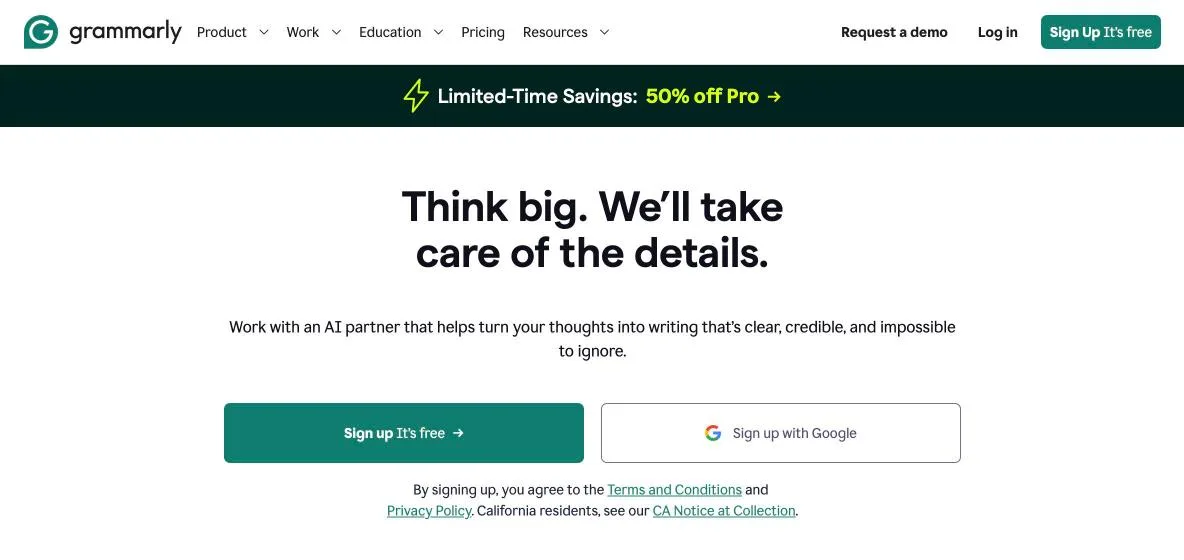
Grammarly says paying yearly saves up to 60%. Its plans page offers Pro as a free trial: $0 today, and an email 2 days before the trial ends. On 23 November its home page also showed a limited-time offer of 50% off Pro. We did not read the terms of that offer, so the table gives the prices from the plans.
What is free, and what needs Pro?
Free fixes your mistakes. Pro rewrites and changes your text. This is Grammarly's own plan comparison, for the writing features:
| What you get | Free | Pro |
|---|---|---|
| Fix spelling and grammar mistakes | Yes | Yes |
| See the tone of your writing | Yes | Yes |
| Change your tone in one click | No | Yes |
| Rewrite full sentences | No | Yes |
| Write fluently in English | No | Yes |
| Catch accidental plagiarism | No | Yes |
| Detect AI-generated text | No | Yes |
| Keep your citations consistent | No | Yes |
| AI prompts a month | 100 | 2,000 |
How do people use Grammarly at work?
A salesperson writes a first email to a new lead
Salesperson: a clear outreach email
Grammarly's page for sales teams names outreach that you write and revise with its AI in a few clicks. Its strategic suggestions point out what keeps a conversation moving. A company style guide gives each person the same terms, as they type. Grammarly works in Gmail, Outlook, LinkedIn and Salesforce, so the help appears where you write. What comes out is a short, clear email in your company's words.
A support agent answers a customer in the right tone
Support agent: a reply in the right tone
Grammarly's page for support teams names AI rewrites and replies that help agents answer faster. The team sets up a tone profile for its brand and marks which tones fit. Grammarly then suggests changes so each reply keeps that voice. Its home page shows it working inside a Zendesk reply box. What comes out is a reply in the company's own tone of voice.
A person writes at work in a second language
Second-language writer: a clearer update
You write in one of 23 languages, and Grammarly finds the language by itself. Spelling and basic grammar checks are free in all of them. On Pro, clarity, fluency and tone suggestions and paragraph rewrites work in English, Spanish, French, German, Portuguese and Italian. Pro also translates your text into 19 languages where you type. What comes out is a clearer email or update, without a separate translation tool.
If you want AI to sort your inbox and draft the replies for you, read our Fyxer review. To write and edit inside your team's workspace, read our Notion AI review.
Strengths and limits
Strengths
- • It works in more than 1 million apps and sites, like Gmail, Word, Google Docs, Slack and Zendesk
- • The Free plan has no time limit: Grammarly says you can use it on Windows and Mac for as long as you like
- • Spelling and basic grammar checks are free in 23 languages
- • One Pro plan covers one person or a team of up to 149, with a shared style guide
- • Grammarly says it does not sell your text, and does not let its providers train their models on it
Limits
- • Free gives 100 AI prompts a month. Pro gives 2,000 for each member
- • Free leaves out full-sentence rewrites, tone changes and the plagiarism check
- • In languages other than English, Free users can accept 3 advanced suggestions a day
- • Advanced suggestions and paragraph rewrites work in 6 languages only
- • In Microsoft Excel it works on Windows, not on Mac
- • Enterprise has no public price. You contact sales
Is Grammarly free?
Yes. The Free plan costs $0. It fixes spelling and grammar mistakes, shows the tone of your writing and gives you 100 AI prompts a month. Grammarly says you can use the free version on Windows and Mac for as long as you like. Full-sentence rewrites, tone changes and the plagiarism check need Pro.
How much does Grammarly cost?
Pro costs $12 for each member a month when you pay yearly, which is $144 a year. Paid monthly, it costs $30 a month. Enterprise has no public price: you contact sales. The plans page also offers Pro as a free trial, with an email 2 days before the trial ends.
What does Grammarly's AI do?
It drafts text from a prompt, rewrites full sentences and changes your tone in one click. It also points out what a piece of writing is missing, based on your goal and your reader. Rewrites and tone changes need Pro. In Grammarly Docs, its AI agents give feedback and write new text into the page. Free includes 100 prompts a month, and Pro 2,000.
Does Grammarly work in Google Docs and Microsoft Word?
Grammarly says yes. In Google Docs it works through its browser extension for Chrome, Edge, Firefox or Safari. In Microsoft Office it works in Word, Outlook, PowerPoint and Teams, on Windows and on Mac. In Excel it works on Windows only.
Read it on Grammarly's pages for Google Docs and Microsoft Office.
Compare Grammarly
- Fyxer review: an AI assistant for email
- Notion AI review
- Microsoft Copilot review
- Google Gemini review
- Gamma review: slides and docs from a prompt
- ClickUp Brain review
- Mem AI review
- Lovable review: build a web app from a chat
- Superhuman Go adds a personal AI assistant
- Gemini email summaries and drafts come to every Workspace plan
Sources, read 23 November 2026: grammarly.com, its plans page, its pages for Pro, languages, Google Docs, Microsoft Office, tone, and sales and support teams.
See Grammarly's plans