
Beautiful.ai Review: Is It Free, and What Does It Cost?
AI drafts the deck, and the slides keep their own layout.
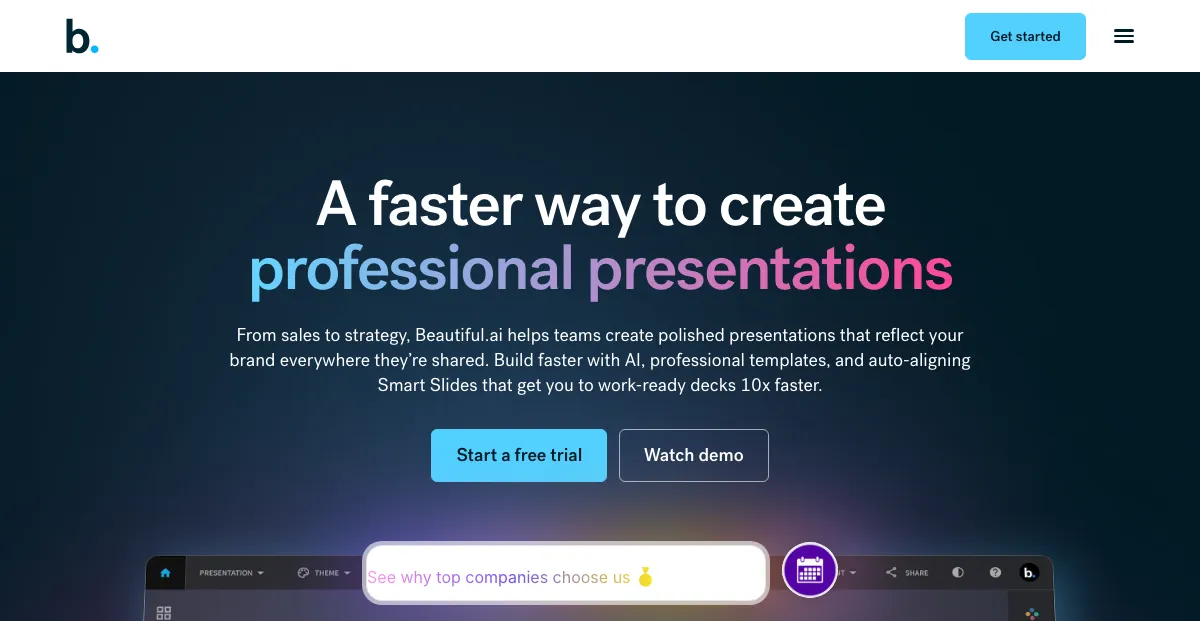
Beautiful.ai is an AI presentation maker. You describe your deck, the AI writes a first draft, and its Smart Slides keep the layout aligned as you edit. There is no free plan: you get a 14-day free trial, and it needs a credit card. The first paid plan, Pro, costs $14.50 a month paid yearly, or $45 paid monthly.
Checked 26 November 2026 on beautiful.ai. Prices are in US dollars.
Beautiful.ai pricing
| Plan | A month, paid monthly | A month, paid yearly | Users | What it adds |
|---|---|---|---|---|
| Pro | $45 | $14.50 ($174 a year) | 1 | Unlimited AI content generation, 300+ Smart Slide layouts, your own brand theme, AI images, writing help and translation, PowerPoint import and export, PDF export, viewer analytics |
| Team | $50 | $40 | 2 to 20 | Everything in Pro, plus live co-editing, shared slide, template and asset libraries, version control and locked slides, live data links to charts and tables, your brand on the player, email and priority support |
| SMB 50 and SMB 100 | Not listed | $6,000 or $12,000 a year, flat | All users | Full access for all users at one flat rate. You book a demo first |
| Enterprise | Contact sales | Contact sales | No limit | Single sign-on, user provisioning (SCIM), audit events, advanced permissions, brand guardrails, onboarding and training |
Pro and Team start with the 14-day free trial. The pricing page says two things about the Team price: its plan card says $40 “includes 3 users”, and its FAQ says $40 “per user”. Ask Beautiful.ai before you buy for a team. Students with a .edu email can get Pro free for one year.
How do people use Beautiful.ai at work?
A salesperson builds a proposal deck
Salesperson: a proposal deck, and who read it
You describe the deal, and the AI turns it into a designed proposal deck. Your logo, colors and images go on every slide, so the deck stays on brand. You share the deck with the client. Beautiful.ai then shows who viewed the deck, for how long, and which slides held their attention. What comes out is a proposal deck and a signal for when to follow up.
A founder writes a pitch deck
Founder: an investor deck from a prompt
You start from a prompt, not a blank page, and the AI writes a first draft of the pitch deck. Smart Slides keep each layout aligned as you change the words. You link a spreadsheet to turn your numbers into animated charts. The same deck later becomes investor updates and board decks. What comes out is a pitch deck you can present in the room or share by link.
A marketer makes the monthly report
Marketer: a monthly report from a spreadsheet
You upload a CSV, an Excel file or a Google Sheet. Beautiful.ai turns the numbers into line, bar, pie, waterfall or donut charts in your brand colors. You start from a template, like the KPI marketing report or the monthly strategy review. On the Team plan, a chart can link to its data source and update when the numbers change. What comes out is a monthly report deck that is quick to remake next month.
To make slides, docs or a web page from one prompt, read our Gamma review. To turn meeting notes into a mind map first, read our Mapify review.
Strengths and limits
Strengths
- • The AI writes a full deck or a single slide from a prompt, your notes, a file or a link
- • Smart Slides realign and resize as you edit, with over 300 layouts
- • You set your colors, fonts and logo once, and every deck uses them
- • Every plan exports to PDF and to an editable PowerPoint file
- • You see who viewed a shared deck and which slides held their attention
Limits
- • There is no free plan. The free trial lasts 14 days and needs a credit card
- • If you do not cancel before the trial ends, the card is charged in full
- • Pro is for 1 person. Live co-editing and shared libraries need Team
- • Live data links to charts and tables are on Team, not Pro
- • Monthly plans are not refundable. A yearly plan can get a partial refund only within 24 hours of payment
- • Single sign-on, SCIM and audit events are on Enterprise only
Is Beautiful.ai free?
No. Beautiful.ai has no free plan. You get a 14-day free trial of Pro or Team, and it needs a credit card. If you do not cancel before the trial ends, the card is charged in full. Students with a verified .edu email can get Pro free for one year, Beautiful.ai says.
How much does Beautiful.ai cost?
Pro costs $14.50 a month paid yearly, or $45 paid monthly. Team costs $40 a month paid yearly, or $50 paid monthly. Enterprise has no public price: you contact sales. For small companies, the flat SMB plans cost $6,000 or $12,000 a year for all users.
What does Beautiful.ai's AI do?
You type a prompt or paste your notes, and the AI makes a full deck or a single slide, with the words and the design. You can add context from a file or a link. It can also make images, rewrite slide text and translate slides. Smart Slides then keep the design in place as you edit.
Can I export Beautiful.ai to PowerPoint?
Beautiful.ai says every deck can be exported as a PowerPoint file, and the slides stay editable after export. Its plan comparison lists editable PowerPoint export and PDF export on Pro, Team and Enterprise. You can also import a PowerPoint file.
Read it on Beautiful.ai's page on AI presentations.
Compare Beautiful.ai
Sources, read 26 November 2026: beautiful.ai, its pricing page, and its pages on teams, sales, startups, reporting, AI presentations and education.
See Beautiful.ai's plans